下载APP
登录
关闭
课程
训练营
认证
部落
资讯
企业版
AI 搜索
App
插件
渠道合作
推荐作者
Matlab常用图像处理命令108例(五)
文章和代码以及样例图片等相关资源,已经归档至【Github 仓库:
digital-image-processing-matlab
】或者公众号【AIShareLab】回复
数字图像处理
也可获取。
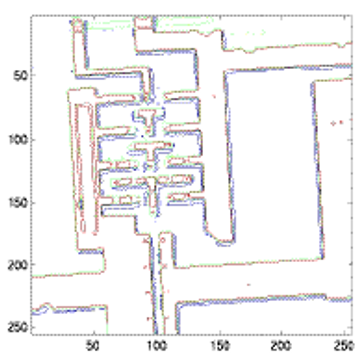
54.imcontour
功能:创建图像数据的轮廓图。语法:
imcontour(I,n)
imcontour(I,v)
imcontour(x,y,...)
imcontour(...,LineSpec)
[C,h] = imcontour(...)
举例
I =
imread
(
'ic.tif'
);
imcontour
(I,
3
)
相关命令:clabel, contour, LineSpec
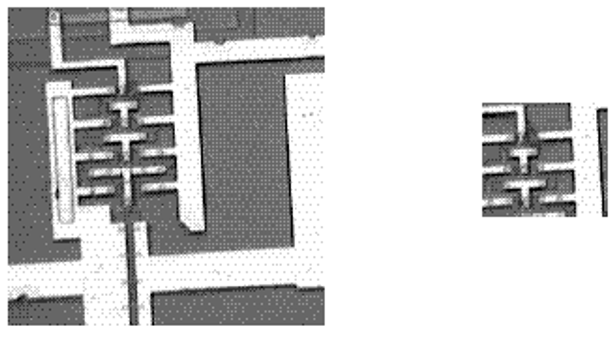
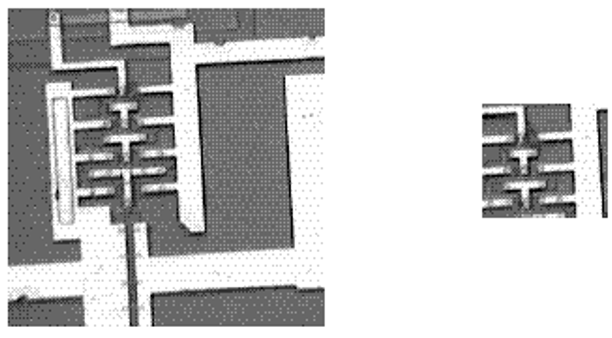
55.imcrop
功能:剪切图像。语法:
I2 = imcrop(I)
X2 = imcrop(X,
map
)
RGB2 = imcrop(RGB)
I2 = imcrop(I,rect)
X2 = imcrop(X,
map
,rect)
RGB2 = imcrop(RGB,rect)
[...] = imcrop(x,y,...)
[A,rect] = imcrop(...)
[x,y,A,rect] = imcrop(...)
举例
I =
imread
(
'ic.tif'
);
I2
=
imcrop
(I,[
60
40
100
90
]);
imshow
(I)
figure,
imshow
(
I2
)
相关命令:zoom
56.imfeature
功能:计算图像区域的特征尺寸。语法:
stats = imfeature(L,measurements)
stats = imfeature(L,measurements,n)
举例
BW = imread(
'text.tif'
);
L = bwlabel(BW);
stats = imfeature(L,
'all'
);
stats(
23
)
ans =
Area:
89
Centroid: [
95.6742
192.9775
]
BoundingBox: [
87.5000
184.5000
16
15
]
MajorAxisLength:
19.9127
MinorAxisLength:
14.2953
Eccentricity:
0.6961
Orientation:
9.0845
ConvexHull: [28x2
double
]
ConvexImage: [15x16 uint8 ]
ConvexArea:
205
Image: [15x16 uint8 ]
FilledImage: [15x16 uint8 ]
FilledArea:
122
EulerNumber:
0
Extrema: [ 8x2
double
]
EquivDiameter:
10.6451
Solidity:
0.4341
Extent:
0.3708
PixelList: [89x2
double
]
相关命令:bwlabel
57.imfinfo
功能:返回图形文件信息。语法:
info = imfinfo(filename,
fmt
)
info = imfinfo(filename)
举例
info = imfinfo(
'canoe.tif'
)
info = Filename:
'canoe.tif'
FileModDate:
'25-Oct-1996 22:10:39'
FileSize:
69708
Format:
'tif'
FormatVersion: []
Width:
346
Height:
207
BitDepth:
8
ColorType:
'indexed'
FormatSignature: [
73
73
42
0
]
ByteOrder:
'little-endian'
NewSubfileType:
0
BitsPerSample:
8
Compression:
'PackBits'
PhotometricInterpretation:
'RGB Palette'
StripOffsets: [ 9x1
double
]
SamplesPerPixel:
1
RowsPerStrip:
23
StripByteCounts: [ 9x1
double
]
XResolution:
72
YResolution:
72
ResolutionUnit:
'Inch'
Colormap: [256x3
double
]
PlanarConfiguration:
'Chunky'
TileWidth: []
TileLength: []
TileOffsets: []
TileByteCounts: []
Orientation:
1
FillOrder:
1
GrayResponseUnit:
0.0100
MaxSampleValue:
255
MinSampleValue:
0
Thresholding:
1
相关命令: imread, imwrite
58.imhist
功能:显示图像数据的柱状图。语法:
imhist(I,n)
imhist(X,
map
)
[counts,x] = imhist(...)
举例
I =
imread
(
'pout.tif'
);
imhist
(I)
相关命令:histeq
59.immovie
功能:创建多帧索引图的电影动画。语法:
mov = immovie(X,
map
)
举例
load mri
mov = immovie(D,
map
);
相关命令: montage
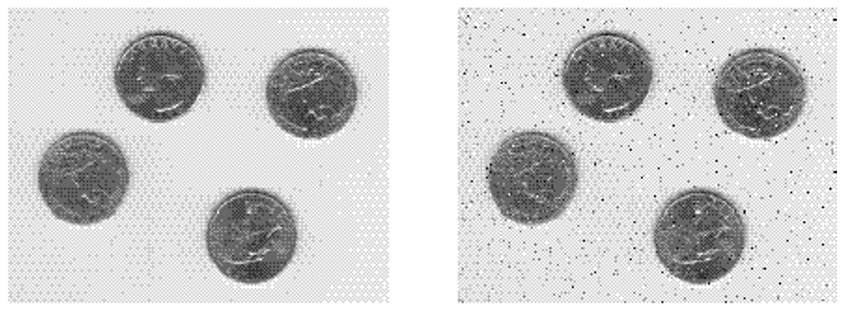
60.imnoise
功能:增加图像的渲染效果。语法:
J = imnoise(I,
type
)
J = imnoise(I,
type
,parameters)
举例
I =
imread
(
'eight.tif'
);
J =
imnoise
(I,
'salt & pepper'
,
0.02
);
imshow
(I)
figure,
imshow
(J)
相关命令:rand
61.impixel
功能:确定像素颜色值。语法:
P = impixel(I)
P = impixel(X,
map
)
P = impixel(RGB)
P = impixel(I,c,r)
P = impixel(X,
map
,c,r)
P = impixel(RGB,c,r)
[c,r,P] = impixel(...)
P = impixel(x,y,I,xi,yi)
P = impixel(x,y,X,
map
,xi,yi)
P = impixel(x,y,RGB,xi,yi)
[xi,yi,P] = impixel(x,y,...)
举例
RGB
=
imread
(
'flowers.tif'
);
c = [
12
146
410
];
r = [
104
156
129
];
pixels =
impixel
(
RGB
,c,r)
pixels =
61
59
101
253
240
0
237
37
44
相关命令:improfile, pixval
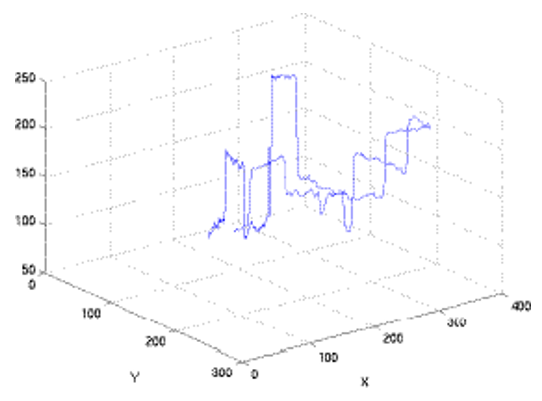
62.improfile
功能:沿线段计算剖面图的像素值。语法:
c =
improfile
c
=
improfile(n)
c = improfile(I,xi,yi)
c = improfile(I,xi,yi,n)
[cx,cy,c] = improfile(...)
[cx,cy,c,xi,yi] = improfile(...)
[...] = improfile(x,y,I,xi,yi)
[...] = improfile(x,y,I,xi,yi,n)
[...] = improfile(...,method)
举例
I = imread(
'alumgrns.tif'
);
x = [
35
338
346
103
];
y = [
253
250
17
148
];
improfile(I,x,y), grid
on
相关命令:impixel, pixval
63.imread
功能:从图形文件中读取图像。语法:
A
=
imread(filename,fmt)
[X,map]
=
imread(filename,fmt)
[...]
=
imread(filename)
[...]
=
imread(...,idx) (TIFF
only
)
[...]
=
imread(...,
ref
) (HDF
only
)
[...]
=
imread(...,’BackgroundColor’,BG) (PNG
only
)
[A,map,alpha]
=
imread(...) (PNG
only
)
举例
[X,
map
] = imread(
'flowers.tif'
,
6
);
info = imfinfo(
'skull.hdf'
);
[X,
map
] = imread(
'skull.hdf'
,info(
4
).Reference);
bg = [
255
0
0
];
A = imread(
'image.png'
,
'BackgroundColor'
,bg);
[A,
map
,alpha] = imread(
'image.png'
);
相关命令:imfinfo, imwrite,fread,double,uint8,uint16
64.imresize
功能:改变图像大小。语法:
B
=
imresize(A,m,
method
)
B
=
imresize(A,[mrows ncols],
method
)
B
=
imresize(...,
method
,n)
B
=
imresize(...,
method
,h)
65.imrotate
功能:旋转图像。语法:
B
=
imrotate(A,angle,
method
)
B
=
imrotate(A,angle,
method
,
'crop'
)
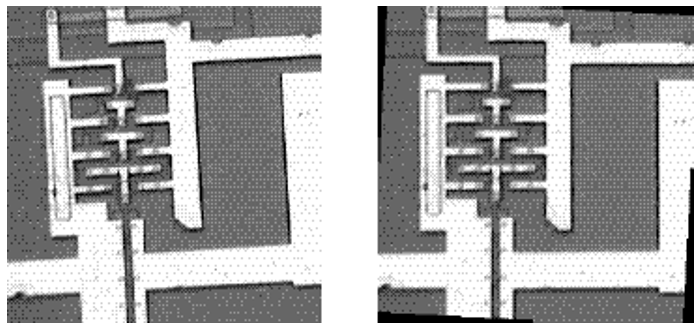
举例
I =
imread
(
'ic.tif'
);
J =
imrotate
(I,–
4
,
'bilinear'
,
'crop'
);
imshow
(I)
figure,
imshow
(J)
相关命令:imcrop, imresize
参考文献:
[1]
Rafael C. Gonzalez, Richard E. Woods, and Steven L. Eddins. 2003. Digital Image Processing Using MATLAB. Prentice-Hall, Inc., USA.
[2]
阮秋琦. 数字图像处理(MATLAB 版)[M]. 北京:电子工业出版社, 2014.
[3]
冈萨雷斯. 数字图像处理(第三版)[M]. 北京:电子工业出版社, 2011.
写留言
精选留言
由作者筛选后的优质留言将会公开显示,欢迎踊跃留言。